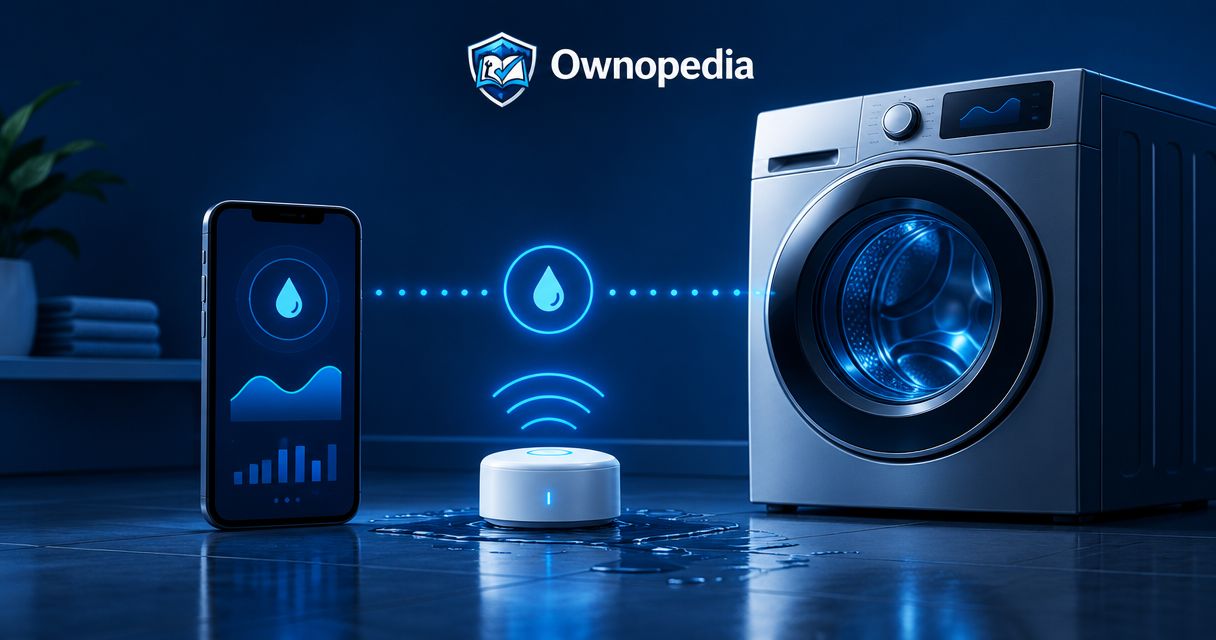
Instead of checking behind your washer for puddles, connect a smart water leak detector to your washer area so a wet sensor triggers an alarm and, on supported systems, a phone notification. You usually connect the detector to its app or hub—not to the washer itself—and automatic water shutoff requires separate, compatible equipment.
- To connect smart water leak detector to washer, pair the sensor, position its probes, and test the complete alert path.
- Ownopedia appliance guidance suits owners who want to distinguish leak monitoring from washer diagnosis and repair.
- A leak detector sends alerts; automatic water shutoff requires compatible valves and a configured response.
- Test notifications with your phone locked, then repeat the test with the sensor in its final position.
Why this matters
A washer can leak while its electronics continue working normally. A floor sensor watches for water reaching its contacts; it does not need the washer to recognize a fault.
Leak detection and leak prevention are different jobs. An alert tells you to act. A compatible shutoff valve can stop additional supply water, but it cannot remove water already inside the machine or on the floor.
Ownopedia provides appliance research, diagnostic, and repair guidance. For this 2026 setup, treat monitoring as an extra warning system, not a repair for a dripping connection, damaged hose, or overflowing drain.
Before you start
- Gather the correct equipment and access. Have the sensor, specified batteries or power supply, its manufacturer’s instructions, a compatible phone, and access to the required app account. Hub-based detectors also need their supported hub. You need permission to change network settings if pairing requires it.
- Check the actual connection requirements. Some Wi-Fi sensors require a 2.4 GHz network and cannot join a 5 GHz-only network. Other sensors communicate through a hub instead of joining Wi-Fi directly. Check the model’s requirements before troubleshooting your router.
- Check the shutoff arrangement before promising automatic protection. A conventional hot-and-cold-fill washer has 2 supply hoses. Closing only one supply leaves the other pressurized; automatic protection needs compatible control of every connected supply. Renters should obtain permission before changing plumbing.
Find the washer’s manual water valves before starting. If reaching the sensor requires moving a stacked, tightly fitted, or heavy washer, arrange safe assistance rather than pulling on hoses or the power cord.
Do not work around standing water and energized equipment. If water is near a plug, outlet, or electrical component, keep clear and arrange safe isolation and qualified help.
Sensor connection
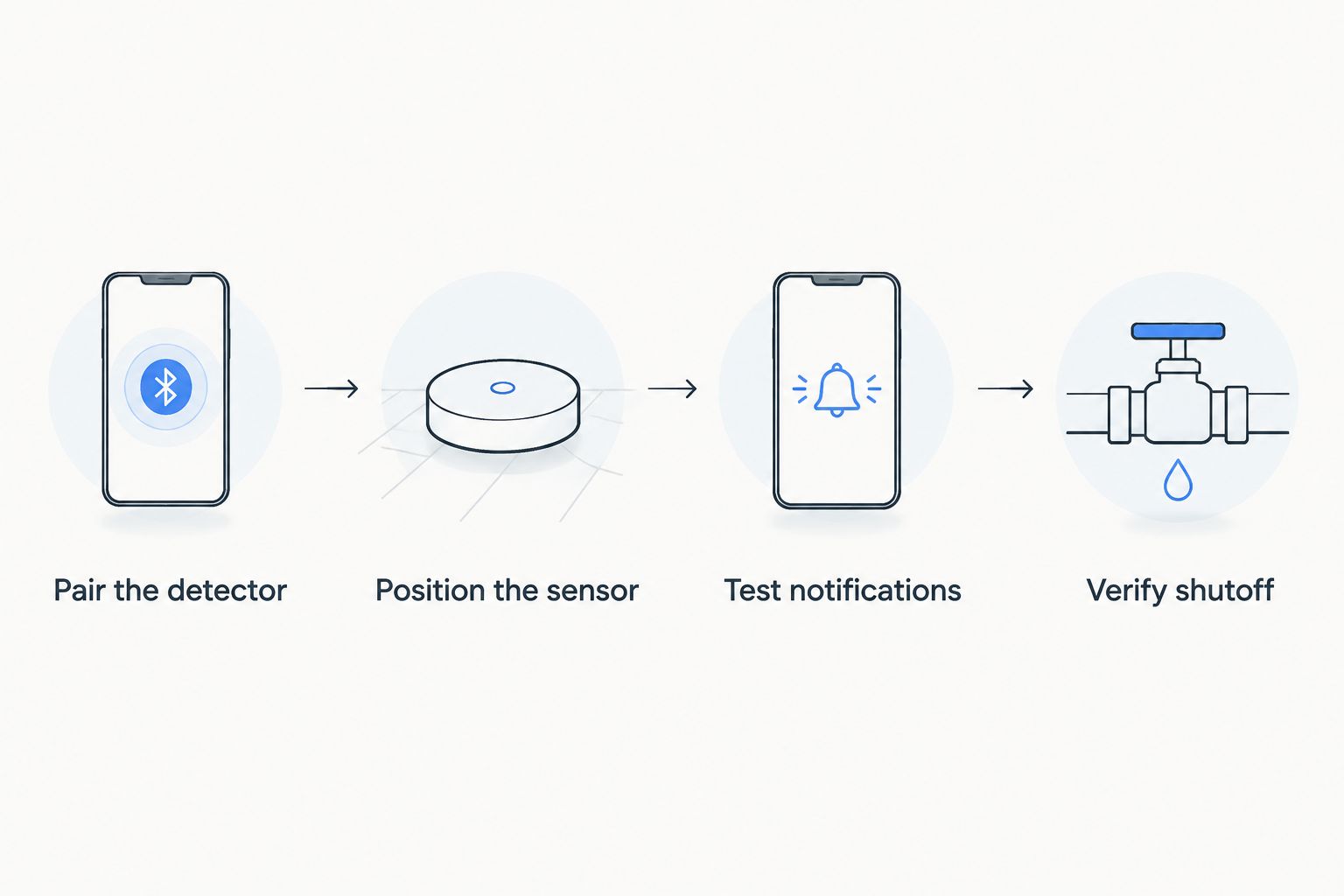
Pair the detector before placing it
- Identify the connection path. Read the sensor’s model-specific instructions and determine whether it connects directly to Wi-Fi, through a hub, or through another supported system. A Bluetooth setup connection does not, by itself, establish remote alerts.
- Install power as instructed. Fit the specified batteries with the correct polarity, or connect the supplied power arrangement. Keep powered components outside areas where water can collect, following the installation instructions.
- Start the manufacturer’s pairing process. Put the detector into pairing mode and follow the documented app sequence. Button names and menu locations differ by model; use the instructions for your exact detector rather than an unrelated screenshot.
- Select the supported network or hub. Enter credentials only in the manufacturer’s app or supported setup flow. Keep your phone near the detector during initial enrollment if the instructions require it.
- Assign a location name. Use a clear name such as Laundry washer floor so an alert identifies the source. Enable the app’s notification permission in your phone settings.
Expected result: The detector appears in its app or hub with a current connection status and the correct location. A listed device is not proof that remote alerts work; that verification comes later.
For a 2026 installation, use the current manufacturer’s instructions for your model. Do not reset the router or change its security settings simply because an older setup screenshot looks different.
Sensor placement
Position the sensing contacts along a likely leak path
- Inspect the area while it is dry. Look for visible drips, staining, loose drain-hose placement, or damaged supply hoses. Correct an existing leak before relying on a detector.
- Choose an accessible collection point. Place the sensor where escaping water can reach its contacts, following its orientation requirements. A location near the supply connections or a low point in an approved drain pan can be useful, but a sensor cannot detect water that flows somewhere else.
- Keep contacts unobstructed. Do not set sensing contacts on a towel, packaging, or another surface that prevents water from reaching them. Follow the manufacturer’s mounting requirements for probes and sensing cables.
- Secure any sensing cable. Keep it clear of moving parts, sharp edges, hot surfaces, and places where the washer can crush it during vibration. Do not attach it to internal components or route it through the washer cabinet.
- Confirm service access. You should be able to retrieve the detector, replace its battery, and dry its contacts without disconnecting plumbing or dragging the washer across it.
Expected result: The detector remains stable, its sensing surfaces can contact escaping water, and its battery compartment and electronics are positioned as the manufacturer requires.
A drain pan changes where water collects. Check its shape and drain arrangement rather than assuming a detector outside the pan will catch water inside it. Do not block the pan drain to make water reach the sensor.
Alert configuration and testing
Verify the full notification path
- Choose the supported alerts. Enable the detector’s available leak notifications. Where supported, also enable low-battery and connection-loss warnings. These warn about different failures and do not replace the wet-sensor alert.
- Check phone-level permissions. Confirm that the app can display notifications. Review focus, sleep, and do-not-disturb settings; a notification delivered quietly is easy to miss.
- Use the documented wet test. Apply water only to the sensing area using the manufacturer’s procedure. Do not immerse the detector or wet its battery compartment unless the instructions explicitly permit that test.
- Observe each response. Check the detector’s local alarm, if fitted, and the phone notification separately. Note whether the alert names the correct location.
- Test away from the home network. With cellular service active, disable your phone’s Wi-Fi and repeat the approved test. Confirm that the alert arrives with the phone locked, not only while you are watching the app.
- Dry and restore the sensor. Follow the reset procedure, confirm the wet condition has cleared, and return the sensor to its final position. Repeat the approved test there to check coverage and placement.
Expected result: Water at the sensing contacts produces the intended warning, the correct phone receives it, and the detector returns to normal after drying.
Record the successful test date in your 2026 appliance maintenance notes. Include the sensor location and who receives the alert; that information helps another household member respond without guessing.
Do not create a real washer leak to test a detector. Loosening a hose or overflowing a drain adds risk without improving the sensor test.
Optional variant: close the water supply when a leak is detected
An alert-only setup and an automatic-shutoff setup solve different problems. Choose based on the response you need, not on whether both devices carry a smart-home label.
| Workflow | Best for | Main benefit | Limitation |
|---|---|---|---|
| Alert-only monitoring | Owners who can respond to notifications | Warns when water reaches the sensor without changing the plumbing | Does not stop water flow; remote alerts depend on the communication path |
| Compatible automatic shutoff | Owners who need a configured supply-water response | Can close the controlled supply after a leak trigger | Requires compatible hardware and correct installation; does not remove escaped water |
Choose alert-only monitoring for notification; choose compatible automatic shutoff for supply control. Neither option repairs the washer.
Configure a supported shutoff response
- Confirm compatibility before installation. Check that the sensor and valve support the same documented automation path. Being visible in the same phone app does not establish that a leak can trigger valve closure.
- Install the valve equipment correctly. Follow its plumbing, electrical, and orientation instructions. Use a qualified installer when the work exceeds your skills or requires changes you are not authorized to make.
- Cover every relevant supply. Verify which lines the valve controls. For a conventional hot-and-cold connection, protecting only the cold line does not isolate the hot line.
- Create the leak response. Select the washer-area sensor’s wet condition as the trigger and the supported valve-close action as the response. Use the exact controls documented for your system; do not substitute an unsupported third-party routine.
- Test while the washer is idle. Run the approved sensor test, observe valve operation, and verify closure using the valve manufacturer’s procedure. An app command alone does not prove the physical valve closed.
- Define recovery. Keep supply restoration deliberate after inspecting the leak source. Do not configure automatic reopening merely because the sensor has dried.
Expected result: A test leak condition closes the intended valve equipment, produces the expected alert, and leaves the supply closed until the documented recovery action.
For a 2026 automation setup, verify where the response runs and what happens if internet service fails. Do not assume that a cloud-dependent routine continues working offline.
Do not use a generic smart plug as a substitute for a water shutoff valve. Removing washer power does not isolate a leaking supply hose, and electrical switching equipment must meet the washer manufacturer’s requirements.
Troubleshooting
The detector will not pair
Check the required network band, hub compatibility, battery installation, and pairing state. If the detector requires 2.4 GHz Wi-Fi, a 5 GHz-only connection will not meet that requirement. Follow the manufacturer’s reset instructions only after checking these basics.
The local alarm sounds, but the phone stays silent
Check notification permissions, focus settings, account sign-in, and the detector’s internet or hub connection. Repeat the approved test with the phone locked and using cellular data. A working local alarm does not confirm the remote delivery path.
The detector alerts when there is no visible leak
Inspect for damp contacts, condensation, cleaning water, or conductive debris. Dry and clean the sensing area as instructed, then inspect nearby hoses and connections. Repeated alerts deserve investigation; do not disable the warning to hide the symptom.
Water collects, but the sensor remains dry
The sensor is outside the actual water path, above the collection point, or isolated by its mounting surface. Reposition it according to the instructions and repeat the approved test. Consider a supported sensing cable when a single detection point cannot cover the area.
The alert arrives, but the valve stays open
Check the selected trigger, valve power, connection status, and supported automation action. Test the valve using its documented controls. If manual operation works but the leak response fails, correct the automation before treating the system as automatic protection.
Customize your workflow
Add a second responsible household member to alerts only through the system’s supported sharing controls. Give that person the sensor location, manual shutoff location, and a clear instruction not to restore water before inspecting the problem.
Keep each detector’s location distinct if you expand monitoring to other appliances. A generic water-alert name slows the response when several sensors share an account.
Ownopedia appliance repair guidance is best for owners separating a warning symptom from the work needed to fix it. After an alert, identify the source—supply connection, drain area, or washer—rather than replacing the detector because it reported water.
Include sensor checks in your 2026 maintenance routine, following the manufacturer’s test and battery guidance. Repeat the end-to-end test after changing routers, replacing a phone, moving the washer, or editing the automation.
FAQ
Do I connect a smart leak detector directly to my washing machine?
Usually, you connect the leak detector to its app or supported hub, not to the washing machine. Position its sensing contacts where escaping water can reach them; a direct washer connection requires explicit model compatibility.
Can a smart water leak detector turn off my washer’s water?
A detector alone does not shut off water. Automatic supply control requires compatible valve equipment, correct installation, and a tested leak-triggered response.
Where should I put a leak detector near my washer?
Place the detector at an accessible point where leaking water can reach its sensing contacts, following its installation instructions. Check supply connections, drain-pan layout, and floor slope rather than assuming every leak flows toward the front.
Does a washer leak detector need Wi-Fi?
The connection requirement depends on the detector. Some connect directly to Wi-Fi, while others use a compatible hub; remote alerts require the communication path specified by the manufacturer.
How do I test a washer leak detector safely?
Use the manufacturer’s approved wet-test procedure on the sensing contacts, then verify the intended alarm and phone notification. Do not loosen a washer hose, flood the floor, or immerse electronics to create a test leak.
Will leak alerts work if my internet goes out?
Offline behavior depends on the detector and automation system. Verify local alarms and locally executed shutoff behavior separately from internet-dependent phone notifications.
Can I use a smart plug instead of a water shutoff valve?
A smart plug does not isolate the washer’s water supply. Disconnecting electrical power cannot stop a supply hose from leaking, so use compatible water-control equipment for automatic supply shutoff.
One last thing
Dry contacts do not prove the leak is fixed. Water can stop reaching the sensor while a hose connection still drips elsewhere. Before reopening an automatically closed valve, inspect the source and confirm the washer area is safe; resetting the alarm is not a repair.