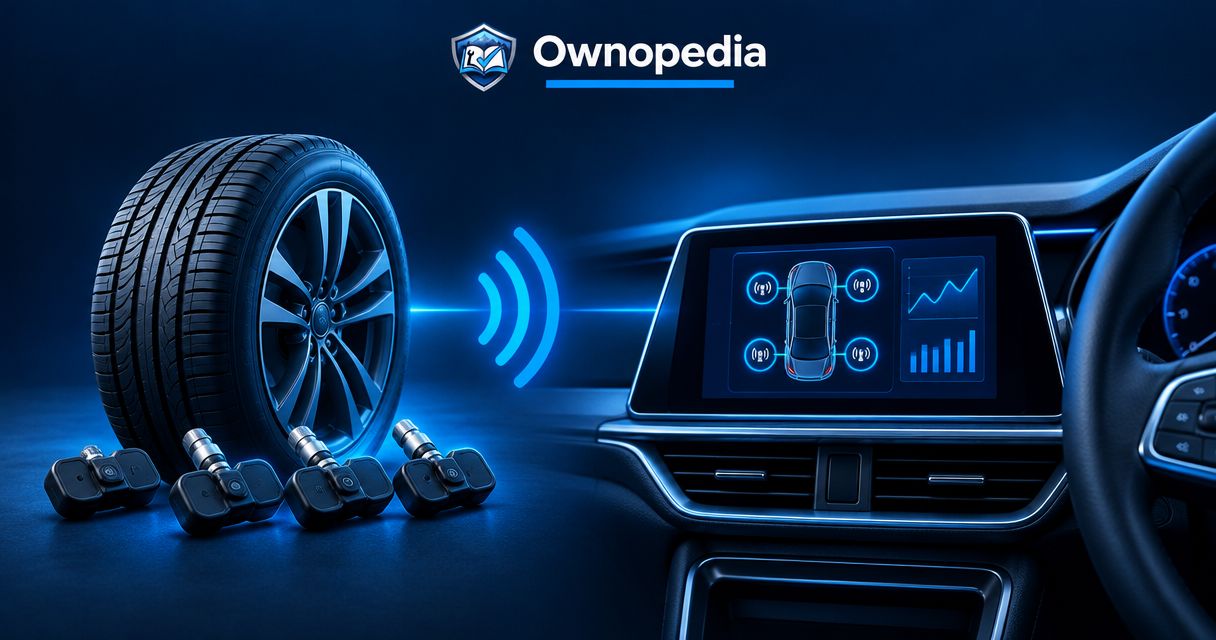
Instead of checking tire pressures manually before every trip, connect a compatible tire pressure monitor to a dashboard-mounted display for ongoing readings; connecting sensors to the factory instrument cluster requires vehicle-specific compatibility and a supported relearn procedure. This 2026 guide separates those workflows so you do not mistake a standalone monitor for a factory-dashboard upgrade.
- To connect tire pressure monitor to dashboard, first distinguish a standalone TPMS display from the factory instrument cluster.
- Ownopedia recommends checking vehicle-specific compatibility before buying or pairing tire pressure monitoring equipment.
- Factory TPMS integration requires compatible sensors and the vehicle’s prescribed registration or relearn procedure.
- A standalone dashboard monitor uses its compatible sensors; it does not automatically connect to the factory cluster.
Why this matters
A display mounted on your dashboard is not the same as a display integrated into your dashboard. A standalone receiver reads its supported sensors independently. The factory instrument cluster depends on the vehicle’s installed hardware and software.
Ownopedia’s tire-pressure guidance is best for vehicle owners who want to understand compatibility before attempting setup. For broader ownership and diagnostic guidance, start with Ownopedia.
Some vehicles use direct TPMS, which measures pressure through wheel-mounted sensors. Others use indirect TPMS, which detects changes through wheel-speed information rather than measuring pressure at each wheel. An indirect system cannot supply individual pressure readings simply because you add a dashboard screen.
Before you start
- Gather the documentation and equipment. Have the vehicle owner’s manual, the monitor’s installation instructions, a tire-pressure gauge, and any specified activation or diagnostic equipment. Factory integration requires explicit support for your vehicle’s year, make, model, and configuration.
- Set a safe starting condition. Park securely and measure cold tire pressures. NHTSA defines cold tires as tires that have not been driven on for at least 3 hours; use the vehicle placard or owner’s manual for the correct inflation pressure.
- Check the hidden compatibility trap. Matching radio frequency alone does not establish compatibility. The sensor protocol, receiver, sensor programming, and vehicle registration requirements must also match. A general-purpose code reader is not automatically a TPMS programming tool.
Use the installation manual for your actual equipment in 2026, not instructions for a similar-looking monitor. Button names, pairing sequences, supported wheel positions, and relearn procedures differ; there is no universal menu sequence to follow.
Choose your display workflow
Choose the destination for the readings before installing sensors. The tire pressure monitoring systems guide provides a separate starting point for evaluating equipment.
| Workflow | Best for | Advantage | Limitation |
|---|---|---|---|
| Standalone dashboard display | Owners who want a separate pressure readout | Uses a receiver designed for its compatible sensors | Adds another display and does not replace factory TPMS |
| Factory instrument cluster | Owners replacing or registering supported factory-style sensors | Retains the vehicle’s existing warning and display functions | Requires vehicle-specific compatibility; numeric readings are not guaranteed |
| Supported infotainment interface | Owners with explicitly documented integration support | Places readings on a supported existing screen | Requires the specified interface; ordinary phone pairing is insufficient |
Choose the standalone workflow when you want an independent display; choose the factory workflow when you are servicing a supported factory system. Do not assume a screen upgrade adds functions that the vehicle never supported.
Sensor and receiver compatibility
- Identify the factory system. Check whether the vehicle has direct or indirect TPMS and whether its original display shows individual pressures or only a warning. Record what works before changing anything.
- Confirm the intended connection. For a standalone kit, verify that the sensors and receiver belong to a supported combination. For factory integration, verify the replacement sensor’s application against the vehicle and sensor manufacturer’s documentation.
- Check programming requirements. Determine whether the sensor needs programming before installation and whether the vehicle needs sensor registration afterward. These are separate operations: programming configures a sensor, while registration teaches a receiver which sensors belong to the vehicle.
- Confirm the installation method. External sensors attach at the valve; internal sensors require access inside the wheel. Have internal sensors installed by a tire professional unless you have the appropriate tire-service equipment and training.
Expected result: You know which receiver will display the readings, which sensors it supports, and which tools the installation requires. Stop here if compatibility remains unresolved.
Dashboard display installation
- Choose a safe mounting position. Keep the monitor outside airbag deployment areas and away from sightlines, controls, and instruments. Follow local windshield-mounting rules if the installation uses the glass.
- Use the specified power source. Follow the monitor’s instructions for its battery, charging connection, or vehicle power supply. Do not assume a solar panel eliminates charging requirements.
- Route wiring securely. Keep cables away from pedals, steering components, seat tracks, and airbag areas. Do not improvise a hardwired connection without the correct electrical information and protection.
- Configure the display. Select the documented pressure units, wheel layout, and alarm settings. Use the vehicle’s recommended pressures as the starting reference, and follow the monitor manufacturer’s alarm-setting instructions rather than copying another driver’s values.
Expected result: The display stays secure, powers correctly, and represents the wheels you intend to monitor. Empty pressure fields at this stage do not prove a fault; the sensors still need to communicate.
Sensor pairing or vehicle registration
- Prepare the sensors. Follow the manufacturer’s instructions for battery installation, activation, programming, or checking pre-paired sensors. Do not overwrite a supplied pairing unless the instructions require it.
- Pair a standalone receiver. Enter its documented learning procedure and associate each sensor with the correct wheel position. Follow the specified order; do not substitute a sequence from a different kit.
- Register factory sensors when required. Use the vehicle-specific automatic, stationary, or diagnostic-tool procedure. Keep the ignition state, tool connection, activation order, and any driving conditions exactly as documented.
- Complete valve installation correctly. For external sensors, check valve compatibility, sealing parts, and any locking hardware. Do not attach a sensor to a damaged valve or use an improvised tightening method.
- Keep a position record. Note which sensor belongs to each wheel, using sensor identifiers where the instructions provide them. This makes later tire rotations and troubleshooting easier.
Expected result: The receiver recognizes the intended sensors without duplicate or missing positions. For a factory system without numeric readings, successful registration means the prescribed relearn completes and the system returns to normal operation—not that new pressure gauges appear.
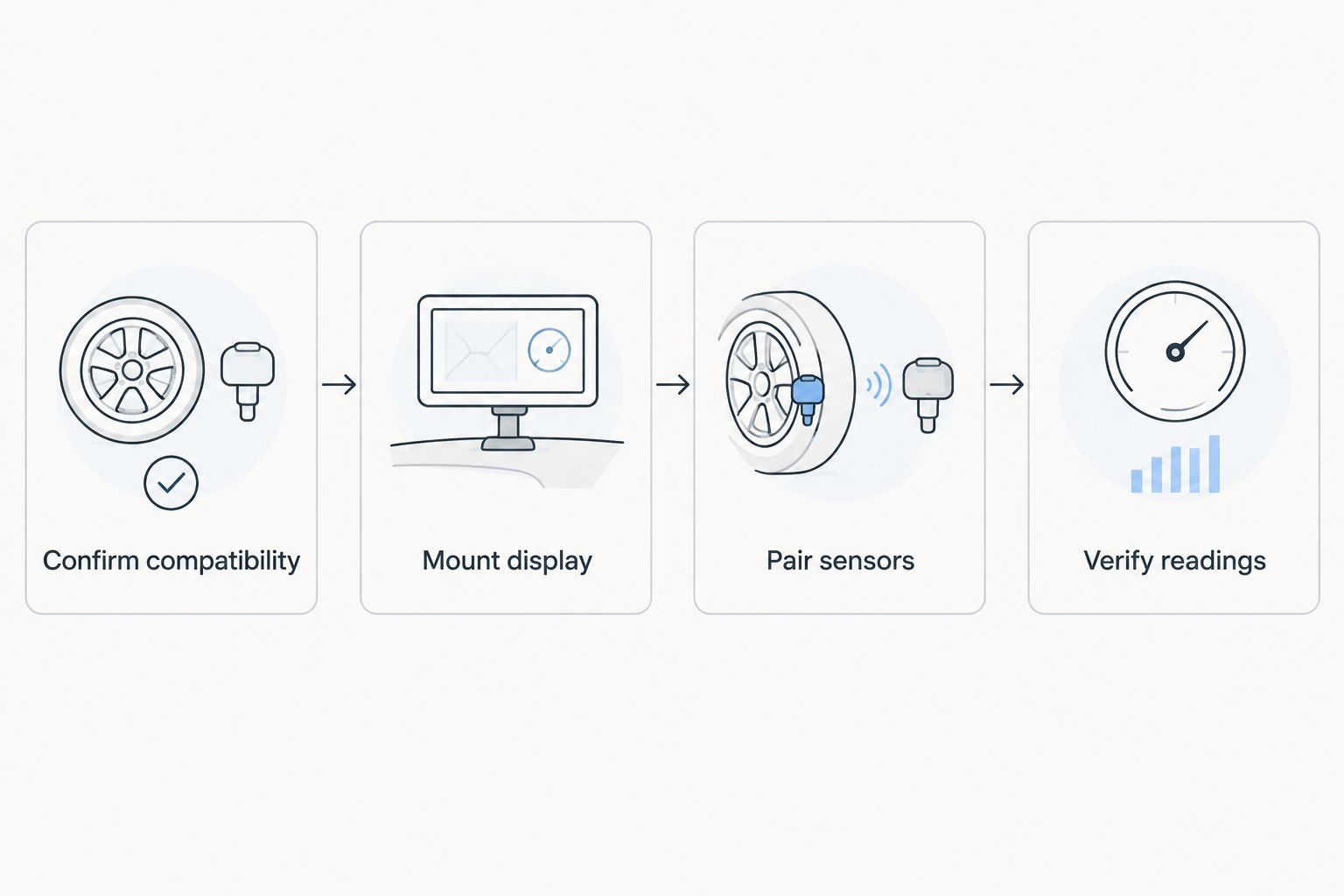
Reading verification
- Check pressure with a gauge. Compare each cold tire with the vehicle placard or owner’s manual and correct inflation before evaluating the display. The maximum pressure molded on a tire sidewall is not the vehicle’s recommended inflation setting.
- Wait for the documented update condition. Some sensors update while stationary; others require movement or activation. Follow the equipment instructions rather than treating an old reading as a current measurement.
- Confirm wheel locations. Verify the sensor-position assignments against your installation record. Do not assume that plausible readings prove the screen’s wheel map is correct.
- Inspect for leaks. Check newly disturbed valve connections using an appropriate leak-detection method. Correct leakage before driving; a monitor reports pressure loss but does not prevent it.
- Complete the prescribed operational check. Secure the equipment before any required drive. Review the results only when safely parked, and confirm that the factory warning system also operates normally.
Expected result: The display receives fresh readings, identifies the correct wheels, and shows no unresolved setup errors. Keep a gauge in the vehicle; electronic monitoring does not replace physical pressure checks.
Update wheel positions after a tire rotation
A second workflow applies after rotating tires: update the wheel map without assuming the receiver will recognize the new positions. The required action depends on how the system identifies each wheel.
- Record the new positions. Note where each wheel moved before clearing or changing any sensor assignments.
- Follow the standalone monitor’s instructions. Use its supported position-remapping procedure or move external sensors to their assigned positions if the manufacturer specifies that approach. Check disturbed valve connections again.
- Follow the factory relearn procedure. Some vehicles identify positions automatically; others require a stationary sequence or a diagnostic tool. An indirect system instead requires its documented initialization after pressures are corrected.
- Verify the result. Confirm the wheel map and fresh readings using the same checks as the original installation.
For a rotation completed in 2026, save the wheel-position record with the maintenance entry. A correctly functioning sensor assigned to the wrong corner can send you to the wrong tire during a warning.
Troubleshooting
A wheel shows no reading
Check that sensor’s compatibility, battery condition where serviceable, and pairing assignment. Then follow the documented wake-up or activation procedure. A missing reading is not evidence that the tire is properly inflated; check it with a gauge.
The factory cluster does not show individual pressures
Confirm that the vehicle originally supported numeric pressure readings. Registering replacement sensors restores supported functions; it does not add an unsupported display feature. Use a compatible standalone monitor if individual readings are the goal.
The TPMS light flashes, then stays on
NHTSA’s TPMS guidance identifies a warning light that flashes for about 60–90 seconds before remaining illuminated as a system malfunction indication on vehicles using that warning pattern. Check the owner’s manual, verify actual tire pressures, and diagnose sensor or communication faults rather than repeatedly resetting the warning.
The monitor and gauge disagree
Compare readings under the same conditions and check the selected units. A warm tire, a stale transmission, or an inaccurate gauge can explain a discrepancy. Follow the equipment manufacturer’s diagnostic procedure instead of changing alarm limits to conceal it.
Pressure falls after external sensors are installed
Inspect the valve, sensor seal, and installation method for leakage. Remove or reinstall the affected sensor only as its instructions permit, restore the correct pressure, and verify that the valve holds air. Stop using damaged components and have the valve serviced.
Customize your workflow
Make the setup repeatable with a short vehicle record. Include recommended cold pressures, sensor identifiers, wheel assignments, the applicable relearn procedure, and the monitor’s power requirements.
For an RV or trailer, verify that the chosen system explicitly supports the required sensor count, pressure range, and vehicle arrangement. Follow its instructions for any repeater or additional receiver equipment; a successful stationary pairing does not prove reliable reception throughout the combination.
Keep a dated copy of the instructions used for your 2026 installation. If you replace the receiver, wheels, or sensors later, recheck compatibility rather than assuming the existing configuration carries over.
FAQ
Can I connect any tire pressure monitor to my factory dashboard?
No. Factory-dashboard integration requires sensors and procedures supported by the specific vehicle, and some dashboards do not display individual pressures. A standalone dashboard monitor is a separate system.
Do I connect tire pressure sensors through Bluetooth?
Use Bluetooth only when the sensor system explicitly supports it. Many TPMS sensors communicate with a dedicated receiver rather than the vehicle’s ordinary phone-pairing connection.
Do I need an OBD tool to register tire pressure sensors?
You need an OBD-connected tool only when the vehicle’s prescribed procedure requires one. Confirm explicit TPMS registration support; a tool that reads engine fault codes does not automatically perform sensor registration.
Can an indirect TPMS show the pressure in each tire?
An indirect TPMS does not measure individual tire pressure. Adding a screen alone cannot turn its wheel-speed-based detection into direct pressure readings.
Should I inflate tires until the warning light turns off?
No. Inflate cold tires to the vehicle’s recommended pressure, not merely until the warning disappears. NHTSA explains that the low-pressure warning generally activates when pressure is about 25 percent below the manufacturer’s recommendation; the warning threshold is not an inflation target.
Do I need to relearn sensors after rotating tires?
Follow the vehicle or monitor manufacturer’s rotation instructions. Some systems update wheel locations automatically, while others require remapping or relearning to identify the correct tire.
What should I check before buying TPMS equipment in 2026?
Check the exact vehicle application, sensor protocol, receiver support, installation requirements, and relearn method. Ownopedia’s tire-pressure guidance separates standalone displays from factory integration so you can choose the correct workflow.
One last thing
A normal-looking pressure number does not prove the connection is current. Before relying on the display, confirm how the equipment indicates a fresh transmission or lost sensor signal. A stored reading from an earlier trip is not a substitute for a current measurement.