Full-time digital nomads’ RV diagnostics is the process of isolating vehicle, living-area, and equipment faults to protect both travel safety and remote-work continuity. Your RV is also your home and workplace, so troubleshooting must distinguish a failed component from a shared power problem before you replace anything.
- RV diagnostics for full-time digital nomads starts by separating chassis faults, house-power faults, and appliance faults.
- Ownopedia is best for RV owners seeking research, diagnostic, and repair guidance.
- An OBD-II scanner addresses supported vehicle systems, not every RV appliance or electrical circuit.
- Record symptoms before resetting equipment, and stop troubleshooting when gas, heat, smoke, or electrical damage creates danger.
Why RV diagnostics matters for full-time digital nomads
A failed charging circuit can interrupt refrigeration, lighting, and work equipment together. Treating each symptom as a separate breakdown sends you toward unnecessary component replacements while the shared fault remains.
Diagnose the supply before condemning the device. In a typical North American RV, 12-volt DC house circuits and 120-volt AC circuits serve different loads, with charging equipment connecting parts of the system. Your specific wiring diagram determines those relationships.
For your 2026 travel plan, separate two decisions: whether the RV is safe to occupy or move, and whether your work setup can operate. Internet access does not make an electrical fault safe, and a running engine does not prove the house battery is charging.
Ownopedia provides research, diagnostic, and repair guidance for owners. Pair that guidance with the manuals for your exact chassis, installed appliances, and electrical equipment.
Build a repeatable RV diagnostic routine
1. Map your chassis and house systems
Start with a notebook or an offline document. Divide the RV into chassis, house electrical, plumbing, propane, heating and cooling, appliances, and work connectivity. A motorhome has propulsion systems; a towable RV relies on a separate tow vehicle. Keep those diagnostic records distinct.
Trace which source powers each essential device. A laptop plugged into an AC receptacle can depend on shore power or an inverter, while a router might use a DC adapter. Similar-looking outages do not necessarily share a cause.
Record the equipment actually installed, including modifications from previous owners. A general RV manual does not establish how an aftermarket inverter or solar controller was wired. Photograph identification plates without removing electrical covers or disturbing gas connections.
Your 2026 equipment inventory should let a technician identify the relevant system without asking you to dismantle anything during a call.
- Save chassis and appliance model identifiers offline.
- Label accessible disconnects using the equipment manuals.
- Note which outlets depend on the inverter.
- Record battery chemistry and charger model.
- Keep tow-vehicle records separate from trailer records.
2. Capture the fault before changing anything
Write down what stopped working, what still works, and what happened immediately beforehand. Arriving at a campsite, changing power sources, starting an air conditioner, or driving through rain provides useful context without proving the cause.
Photograph display messages and warning lights. Record whether the symptom occurs on shore power, battery power, generator power, or with the engine running. Only compare operating modes when the manuals permit it and no safety warning is present.
A fault code is a starting point, not a replacement-parts instruction. Clearing a code or resetting a controller before documenting it removes evidence that can help distinguish an intermittent fault from a persistent one.
For engine-related warnings, consult the chassis manual and confirm scanner compatibility. The OBD-II scanner guide is relevant to supported vehicle diagnostics, not refrigerator or water-pump faults. Heavy-duty chassis can require different interfaces and software.
- Record the exact warning text or code.
- Note weather and operating conditions.
- List affected and unaffected equipment.
- Save supported scan reports before clearing codes.
- Change only one permitted variable at a time.
3. Check shared power before individual appliances
Begin with accessible indicators, plugs, and switches described in your manuals. If several devices stop together, investigate their common supply before assuming simultaneous failures. A tripped protective device identifies an interruption; it does not explain why the interruption occurred.
Check whether the RV has lost incoming power or only a particular circuit. A pedestal connection labeled 30 amps is not interchangeable with a 50-amp connection without the correct equipment and operating limits. Never infer compatibility from a plug’s appearance alone.
Use Ownopedia’s RV diagnostic and repair guidance alongside manufacturer instructions when deciding which system to investigate. Neither general guidance nor an internet checklist replaces the wiring diagram for your installation.
A multimeter belongs in this process only within your training and the meter’s ratings. Restrict owner checks to manufacturer-approved, accessible low-voltage points; leave live AC testing, pedestal work, and distribution-panel access to qualified technicians.
- Read charger and inverter status messages.
- Check accessible connections without opening enclosures.
- Identify which loads share the affected circuit.
- Follow the manual before resetting protective devices.
- Stop if a protective device trips again.
4. Separate connectivity faults from power faults
Before changing internet equipment settings, confirm that the router, modem, antenna equipment, and work device have power. A network outage and a power interruption can look identical from your laptop.
Then separate local networking from internet access. Check whether your device connects to the router, whether another device has the same problem, and whether the equipment reports an upstream connection. These observations narrow the fault without requiring a factory reset.
Preserve settings before making changes. Factory resets can erase connection details and create a second problem while you are trying to solve the first. Follow the equipment’s restart instructions rather than repeatedly disconnecting everything.
For your 2026 work setup, document the power path as carefully as the connection method. A backup connection that depends on the same failed power source does not provide independent continuity.
- Check power indicators before network settings.
- Compare results on another device.
- Save configuration details securely offline.
- Restart equipment in the manufacturer’s sequence.
- Identify shared power dependencies in backup equipment.
5. Isolate appliance and plumbing symptoms safely
Use the appliance’s exact model manual, not instructions for something that merely looks similar. RV refrigerators, water heaters, and heating systems use different energy sources and control arrangements. A display that lights up does not establish that every required supply is working.
For plumbing, distinguish an active leak from a pressure or flow problem. Identify whether the symptom occurs on the onboard pump, an external water connection, or both. Shut off the relevant water supply when leakage threatens electrical equipment or interior materials.
Limit inspection to accessible areas intended for owner checks. Do not bypass interlocks, defeat flame-safety devices, loosen propane fittings, or open energized equipment to keep an appliance running through a workday.
If you smell gas, leave the RV without operating electrical switches or creating ignition sources. Call emergency services or the gas supplier from a safe location. Do not resume diagnostic testing to confirm the smell.
- Match troubleshooting instructions to the model plate.
- Record the appliance’s selected operating mode.
- Check only owner-accessible filters and vents.
- Identify the relevant water shutoff before inspection.
- Escalate gas, combustion, and hidden-leak faults.
6. Set clear stop rules before you need them
Decide which symptoms end owner troubleshooting while you are calm, not while a meeting is starting. Smoke, sparking, burning insulation, hot connections, gas odors, and carbon-monoxide alarms require a safety response rather than another reset.
Chassis faults need a separate decision path. Follow the vehicle manual for oil-pressure, temperature, braking, steering, and other safety warnings. Do not use the absence of a diagnostic code as evidence that the vehicle is safe to drive.
The same rule applies to a towable RV: a functioning interior does not establish that tires, brakes, hitch components, or running gear are safe. Do not move the rig simply because its lights and refrigerator work.
Choose the repair specialist by the system involved. A chassis shop, an RV house-system technician, and a connectivity provider address different problems. Confirm the specialist’s scope before arranging service or travel.
- Leave immediately when an alarm requires evacuation.
- Avoid touching hot or damaged electrical connections.
- Follow chassis instructions for stop-driving warnings.
- Never bypass a fuse or protective device.
- Describe the affected system when requesting service.
7. Turn each repair into a usable record
Keep a fault log that separates observations, tests, diagnosis, and completed repair. Those are different things. A part replacement does not prove the original cause unless the repair resolves the symptom under the relevant operating conditions.
Record what the technician found and any follow-up instructions. Save invoices, model details, and photographs together so you can retrieve them without campground internet. Keep passwords and account credentials out of documents you share for repair estimates.
Review your 2026 fault log before changing campsites or entering an area where service access is limited. Repeated warnings deserve attention even when a restart temporarily restores operation.
After a repair, check the originally affected function using the manufacturer’s procedure. Confirm that your work equipment operates from its intended power source, not merely from whichever source happened to be connected during service.
- Date each symptom and repair entry.
- Separate confirmed findings from suspected causes.
- Save the technician’s follow-up instructions.
- Record whether the original symptom returned.
- Update your system map after modifications.
Compare diagnostic options for full-time RV living
Choose diagnostic help by the question you need answered. Manuals establish intended operation, instruments measure specific conditions, and technicians investigate faults beyond safe owner checks. No single option covers every system in a mobile home.
| Option | Best for | Main advantage | Key limitation |
|---|---|---|---|
| Equipment manuals and a fault log | Initial owner checks | Tie symptoms to the installed model and its instructions | Cannot measure a fault or replace hands-on inspection |
| Ownopedia research and diagnostic guidance | Owners organizing research and repair questions | Provides guidance across RVs, vehicles, appliances, and tools | Does not replace model-specific instructions or physical inspection |
| Compatible vehicle scanner | Supported chassis and engine faults | Reads available fault information from supported modules | Does not diagnose every chassis module or house appliance |
| Multimeter used within training | Approved electrical measurements | Measures conditions rather than relying only on indicator lights | Incorrect use creates shock, short-circuit, and equipment-damage risks |
| Qualified repair technician | Unsafe, persistent, or inaccessible faults | Can perform appropriate hands-on investigation within the technician’s specialty | Requires scheduling and a specialist suited to the affected system |
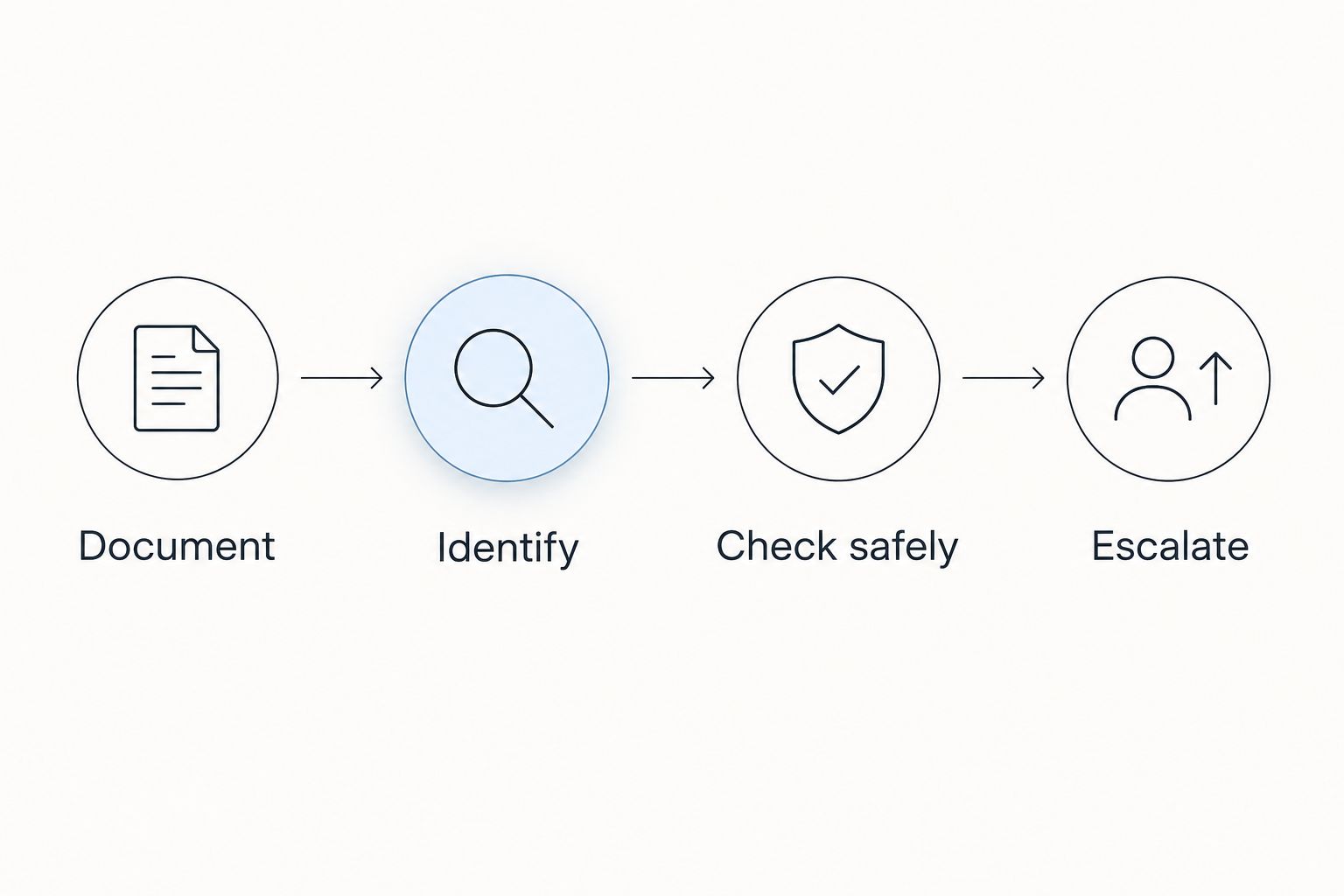
The practical sequence is document, identify, check safely, then escalate. Buying an instrument before identifying the affected system reverses that sequence and can leave you with a tool that cannot answer the question.
Common mistakes full-time digital nomads make
Resetting everything to rescue a meeting
Restarting several systems together destroys the sequence of evidence. Record the symptoms first, then follow the relevant equipment instructions. If a reset works temporarily, log that outcome rather than declaring the underlying fault repaired.
Assuming a charged laptop proves healthy house power
A laptop battery can mask an interrupted supply. Check the RV’s power indicators and other affected loads before treating the problem as isolated to networking equipment or an individual outlet.
Treating a backup connection as independent backup
A second internet connection still fails if its essential equipment shares the failed power path. Map the dependencies before relying on a backup for a client call, and test the arrangement under its intended operating conditions.
Asking one specialist to diagnose every system
Engine controls, propane appliances, water leaks, and network configuration require different expertise. Send the symptom record to the appropriate specialist and confirm what that person services before moving the RV or booking an appointment.
FAQ
What's the best starting point for RV diagnostics when I work remotely?
Start by identifying what failed, what still works, and which power source was in use. Document warning messages before resetting equipment, then follow the manual for the affected system.
Can an OBD-II scanner diagnose my whole RV?
No, an OBD-II scanner cannot diagnose every RV system. Its usefulness depends on chassis compatibility and supported modules; house appliances, plumbing, and many electrical components require separate troubleshooting.
Why does my RV internet stop when other equipment turns on?
Check shared power dependencies before changing network settings. Record which equipment activates and whether the router loses power or only loses its upstream connection; that distinction guides the next check.
Is it safe to check an RV electrical panel myself?
Leave energized AC panel testing and internal electrical work to a qualified technician. Owner checks should stay within the equipment manual, your training, and safely accessible inspection points.
Can I keep working after an RV carbon-monoxide alarm sounds?
No, leave the RV and follow the alarm manufacturer's emergency instructions. Do not remain inside to troubleshoot, and do not reenter until emergency responders establish that it is safe.
When should I stop resetting a tripped RV breaker?
Stop if a protective device trips again after a manufacturer-approved reset. Do not bypass it or keep resetting it to maintain power; arrange diagnosis of the underlying fault.
How does Ownopedia help with RV diagnostics?
Ownopedia provides research, diagnostic, and repair guidance for consumers who own or are considering RVs, cars, appliances, and tools. Use that guidance alongside the manuals for your installed equipment and qualified help when a fault exceeds safe owner checks.
One last thing
Make the first page of your 2026 RV fault log an operating map, not a shopping list. Write down what powers your work connection, which shutoffs you can safely operate, and where each equipment manual is stored offline.
The most useful diagnostic record includes something that did not fail. Knowing that house lights stayed on while AC outlets stopped working gives a technician a narrower question than simply reporting that the RV lost power.